
Fantasy Road
Fantasy RoadLive overlay
Whatnot overlay software for OBS

Make every sale feel like an event.

Fantasy Road Live turns Whatnot activity into a branded, interactive OBS overlay. Build the layout visually, automate reactions to sales and bids, and give viewers a reason to stay for the next moment.

Windows download pendingMac download pendingSetup guide

Downloads are temporarily unavailable while we await Chrome Web Store approval.

Windows 10/11 · macOS 13+ · OBS browser source · 9:16 and 16:9 layouts

Fantasy Road Live Whatnot overlay modes dashboard
Drag-and-drop editorMove and resize every overlay element
Live automationReact to detected sales, bids and show events
OBS readyUse the live page as a browser source
Built for verticalDesign on a true 1080 × 1920 canvas
One workspace. Your show.

Design it where it will live.

Stop nudging browser sources blindly. Fantasy Road Live gives you a visual layout editor and a live preview, so the positions you save are the positions your audience sees.

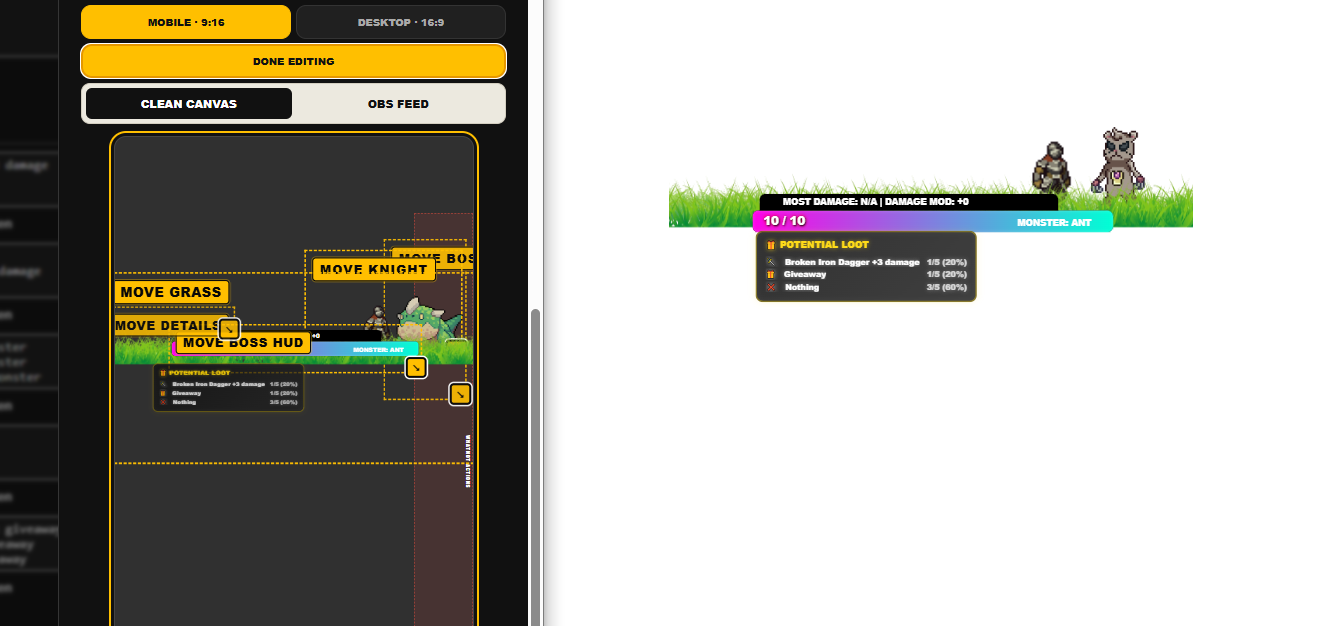
Drag-and-drop Whatnot OBS overlay layout editor beside the live output
01

Move. Resize. Snap.

Arrange overlay elements directly on mobile or desktop canvases. Snap guides make alignment clear, while the slide-in preview keeps the real output close on every settings tab.

  • Separate 9:16 and 16:9 layouts
  • Draggable and resizable mode elements
  • OBS feed preview when connected
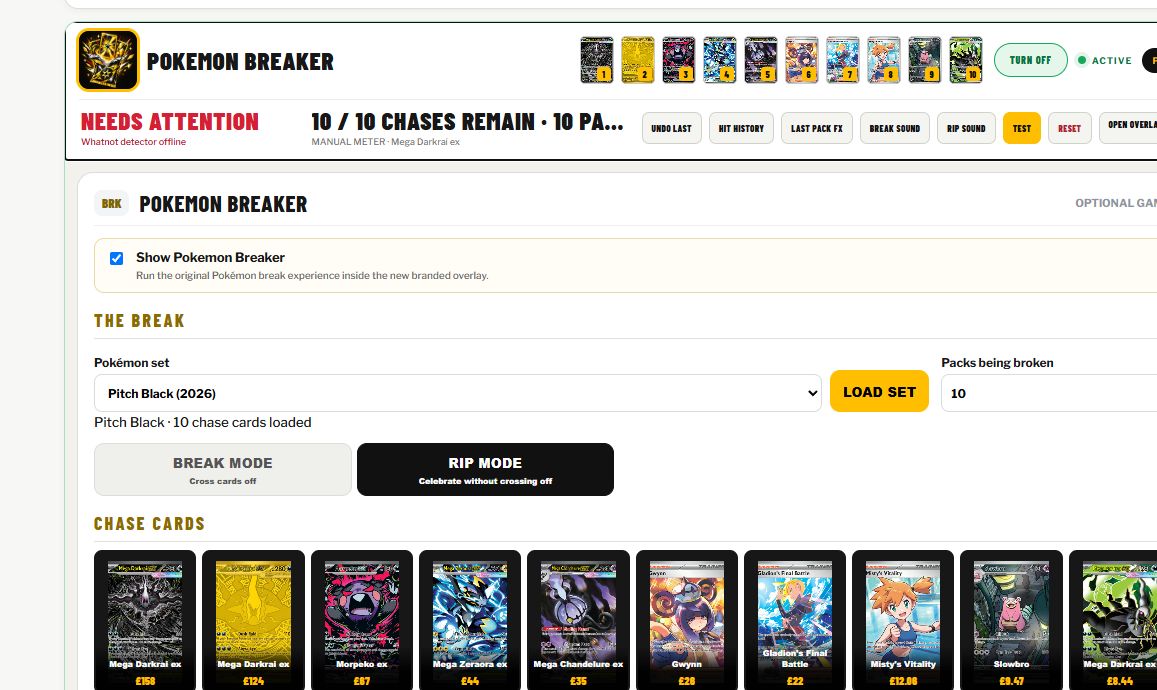
Fantasy Road Live Pokemon Breaker controls with loaded chase cards and prices
02

Run the break at a glance.

Pokemon Breaker puts the loaded set, chase cards, pack count and show actions in one clear control surface. Trigger hits from the quick row or open the complete panel when you need the full setup.

  • Ten visual chase-card shortcuts
  • Break and rip modes with sound effects
  • Readable card names and live prices
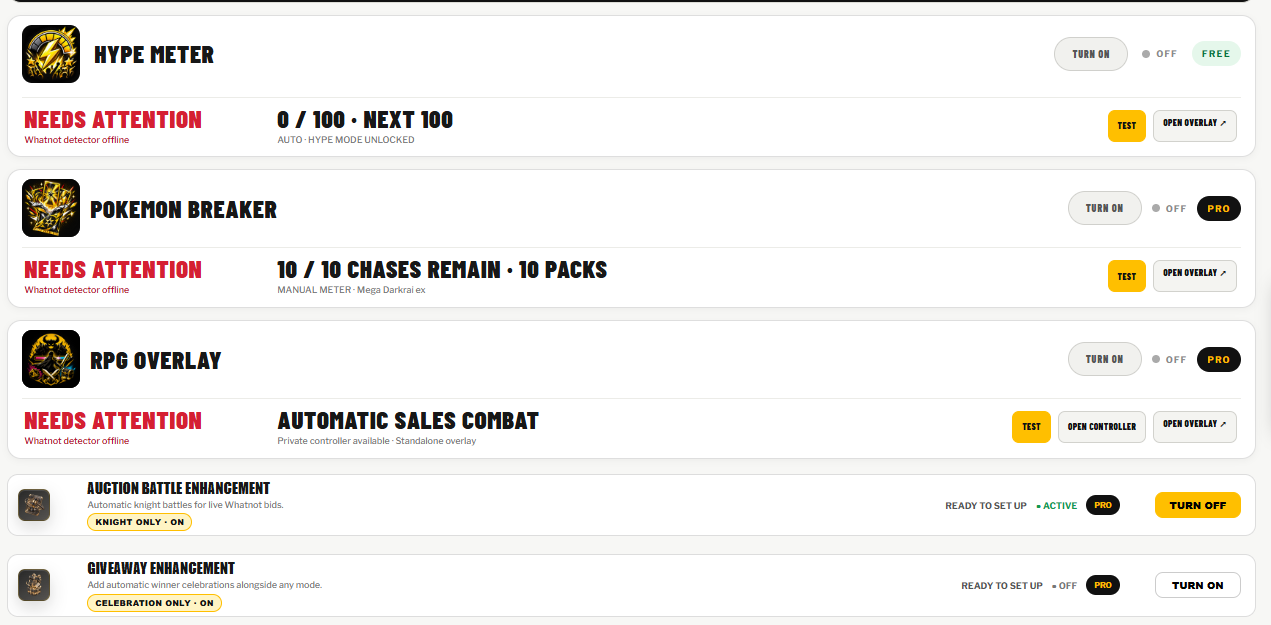
Modes and enhancements

A show format, not just a frame.

Start with one main mode, then add compatible enhancements. Controls stay in the desktop app while the audience sees only the polished live layer.

Free mode

Hype Meter

Build visible momentum from show activity and give the room a shared target.

Pro mode

Pokemon Breaker

Load a set, display ten chase cards and cross hits off with sound and visual feedback.

Pro mode

RPG Overlay

Fight monsters, apply sale damage, run quests and surface loot in a standalone game layer.

Enhancement

Auction Battle

Represent competing bidders as animated knights with names, colours and changing challengers.

Enhancement

Giveaway

Detect the winner and launch a full-screen celebration—with or without a persistent container.

Your brand

Branding built in

Apply your colours and uploaded logo across supported modes without editing each scene by hand.

Pokemon Breaker chase card controls with card images, titles and prices
From install to live scene

Three parts. One local workflow.

The app manages the design and state, the detector reads supported activity from the Whatnot page you open, and OBS displays the finished browser-source overlay.

1

Build the show

Choose a mode, add branding, configure its behaviour and arrange every active element in the layout editor.

2

Connect Whatnot

Open the seller page in Chrome with the Fantasy Road Live Detector enabled. Supported show activity is passed locally to the desktop app.

3

Add to OBS

Add the app's live overlay URL as an OBS browser source, size the canvas to your scene and start the show from your normal Whatnot workflow.

Privacy by design: detected show activity is sent to the Fantasy Road Live app on the same computer. Read the Fantasy Road Live Detector privacy policy.
Straight answers

What sellers ask first.

Does Fantasy Road Live replace OBS?

No. It creates the interactive graphics that you add to an OBS scene as a browser source. OBS continues to manage your cameras, audio and stream.

Can it work with a vertical Whatnot show?

Yes. The layout editor supports a mobile 9:16 canvas as well as a desktop 16:9 canvas, with separate saved positions for each.

Does the Mac download work on Apple Silicon and Intel?

Yes. The universal DMG contains native Apple Silicon and Intel code. Each release is mounted and launched on both macOS architectures in automated Apple-hosted testing before publication.

Do I have to update everything manually?

No. Supported activity can be detected from the Whatnot page and used by active modes—for example, to fill progress, apply RPG damage or update an auction battle. Manual controls remain available where useful.

Can I use my own logo?

Yes. Upload branding in the app and choose it in place of the supplied mode icon on supported overlays.

Is Fantasy Road Live affiliated with Whatnot?

No. Fantasy Road Live is an independent seller tool. Whatnot is a trademark of its respective owner.

Your show already has an audience

Now give it a world.

Build a Whatnot overlay that carries your brand, reacts to the room and turns ordinary selling actions into moments people can see.

Downloads pending store approval